Make the label print sharper
5 min read·Updated 03/07/2026
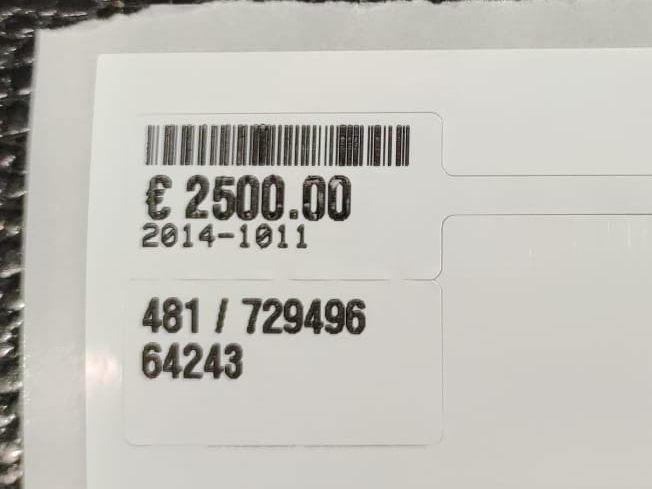
Is a label difficult to read or is the barcode still unable to be scanned? Follow the steps below? Follow these steps.
- 1
In the menu, click 'Store settings' (under Settings)
- 2
Click the 'Print settings' tab
- 3
Click or scroll to the 'Labels' section
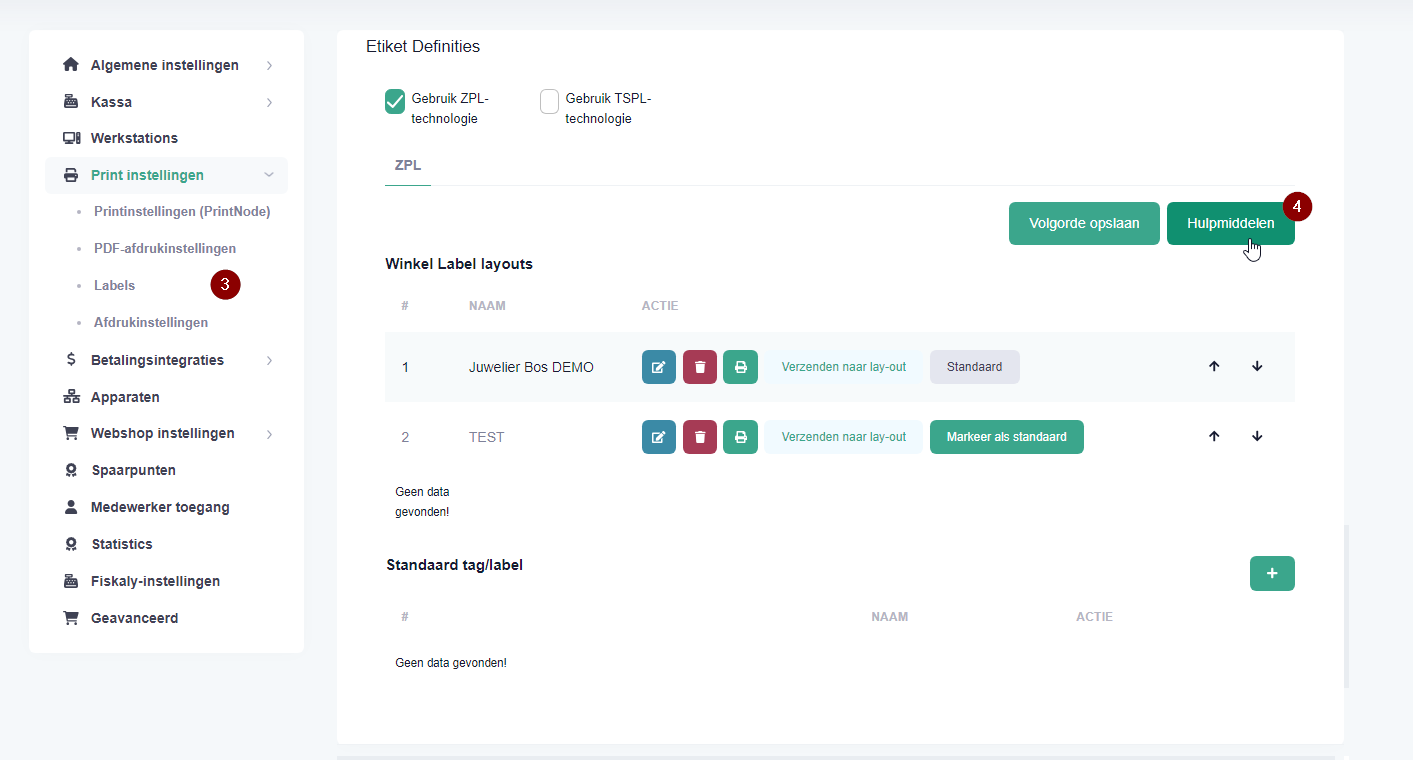
- 4
Click the 'Utilities' button
- 5
A new screen will appear. Click the 'Media darkness' button
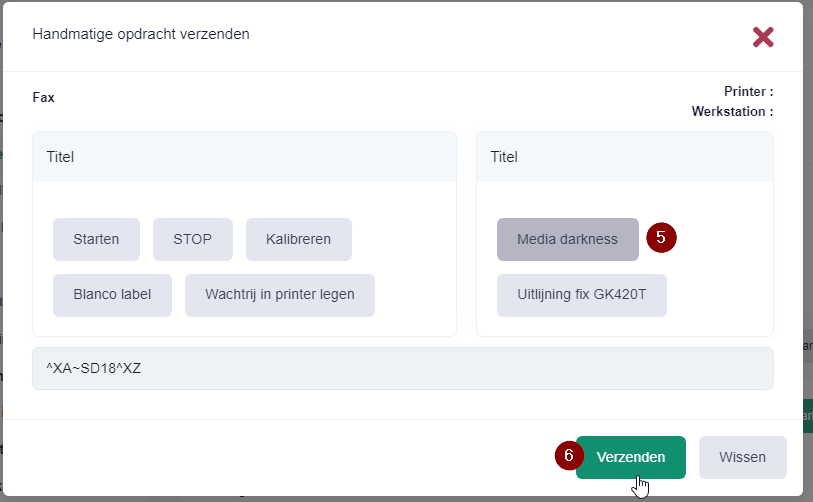
- 6
Click the 'Send' button
Is the label still blurry, or is the barcode still unable to be scanned?
If so, the issue is not with the barcode itself, but with the printer's temperature settings.
In addition to the setting in PrismaNote, there is also a setting in the software that controls the printer. You can adjust it by following these steps:
Windows → Printer Properties / Printing Preferences → Driver Settings → Print Options: Darkness, Speed, Offset
Was this article helpful?
Another question?
Ask Linde — answers come with sources.