Cannot add properties such as a second diamond
Cannot add properties such as a second diamond
Are you unable to add a second diamond or are you experiencing another issue with the product properties? Then it may be useful to clear the IndexedDB using the steps below. Please do this on every device you are logged in on.
Clear browser database
- 1
Ensure the PrismaNote screen is open
Open the web page in Google Chrome or Microsoft Edge.
- 2
Press F12
This will open the developer tools. Alternatively, right-click on the screen and select the "Inspect" option.
- 3
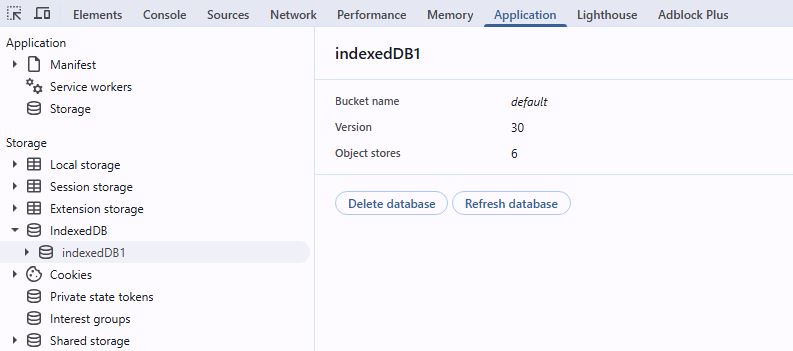
Click the Application tab
In the developer tools panel, click the "Application" tab.
- 4
Locate the database
In the left-hand menu, expand the "IndexedDB" option. You will see the application's database listed here.
- 5
Delete the database
Right-click on the database and select "Delete database". Then, reload the page.
Was this article helpful?
Another question?
Ask Linde — answers come with sources.