Export historical stock list
5 min read·Updated 11/06/2026
Do you want to download a stock list from a past date? This is only possible as an Excel file.
- 1
In the menu, click 'Assortment' (under Inventory)
- 2
In the top right, click the button with the 3 dots.
- 3
Click the option 'Export old stock list'.
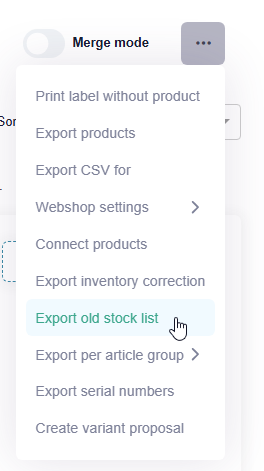
- 4
Enter the date
For example, 1 January (1-1) or 31 December (31-12) of the relevant year.
- 5
Click the 'Download' button next to the list.
Tip
The top row of the Excel file immediately shows the total purchase value, total sales value, and total stock for the selected date.
Was this article helpful?
Another question?
Ask Linde — answers come with sources.